Day 0 · Day 1 · Day 2
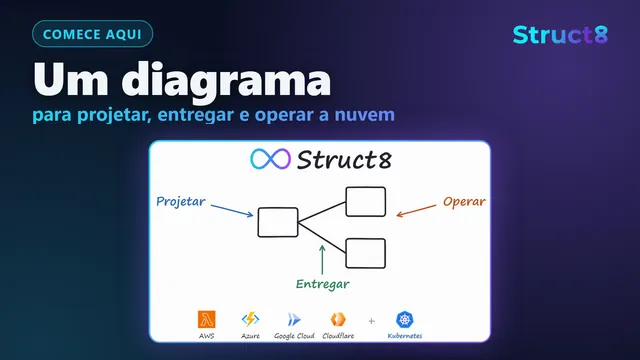
Design, deploy, and operate your cloud from one diagram
Draw your AWS, Azure, Google Cloud, Cloudflare, and Kubernetes resources on one diagram. Struct8 generates the Terraform code and Kubernetes manifests, deploys them through GitOps in your GitHub repository, and shows on the diagram what is running.
- AWS
- Azure
- Google Cloud
- Cloudflare
- Kubernetes
How it works
Design, deploy, and operate in one place
Every cloud project goes through three moments. Today, each one happens in a different tool, and each cloud has its own console. In Struct8, all three happen on the same diagram.
- Day 0
Design
- Describe what you need to your AI agent. It builds the architecture on the diagram, and you follow every step.
- The cost estimate appears before any resource exists in the cloud.
- You review a diagram the whole team understands, not hundreds of lines of code.
- Day 1
Deploy
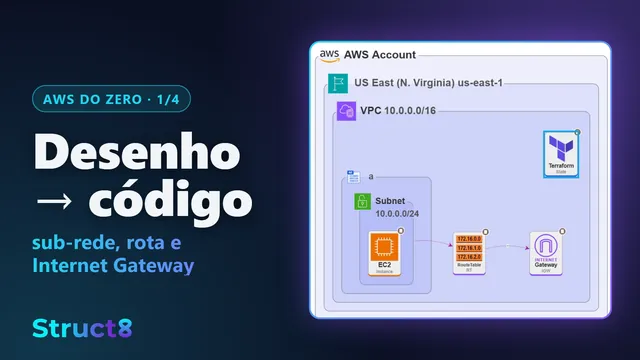
- The diagram generates the Terraform code and the Kubernetes manifests. The same diagram always generates the same code.
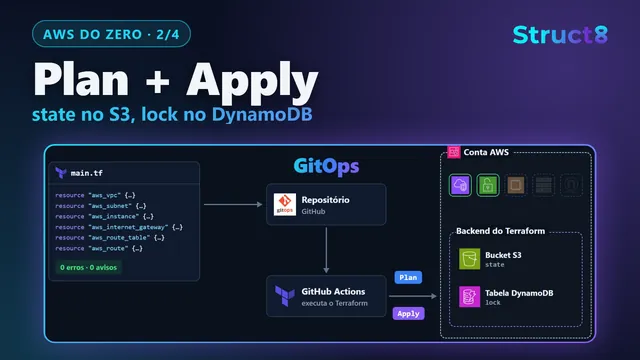
- With GitHub connected, the code goes to your repository, and every change follows GitOps.
- The CI/CD pipeline is on the diagram: you build dev with your agent, and test and prod are created from it, versioned.
- Day 2
Operate
- AWS and Cloudflare components show their real cost, down to data transfer.
- Metrics, alarms, traffic, and tracing are in one place, even when a request crosses clouds.
- One click takes you to the resource's page in the cloud console.
What you learn in operation becomes the next change. You ask your agent, the diagram moves forward, and the change takes the same path.
Overview
Struct8 in five minutes
From design to operation, with an AI agent working on the diagram. The video is in Portuguese.
Chapters
AI agents
Your AI agent works on the diagram, not in a text file
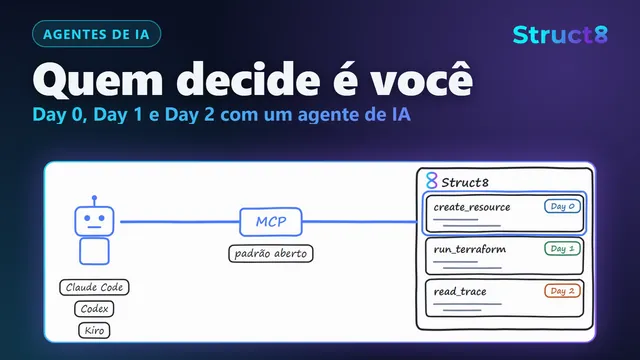
Struct8 has an MCP server. Agents such as Claude Code, Codex, and Kiro use it to read and change the diagram with you.
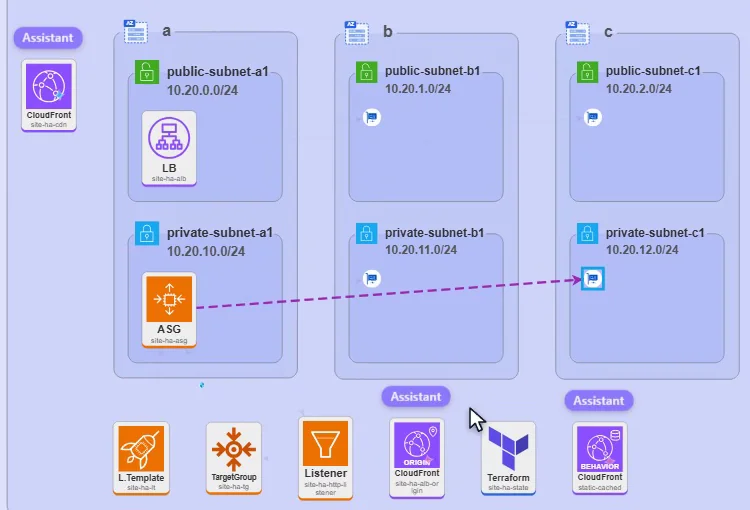
You see every change
Each component the agent creates or changes appears on the canvas right away, marked Assistant.
It changes the diagram, not the code
The agent uses the same catalog components and form fields you use. IAM permissions and security group rules come from the diagram's connections, and the Terraform code comes from compiling the diagram.
No cloud keys
The agent signs in with your Struct8 account. Apply and Destroy run only after you grant permission on the state.
It helps you operate
On Day 2, the agent reads status, metrics, traces, and cost to find out why something is slow or expensive.
Security
What access Struct8 has to your cloud
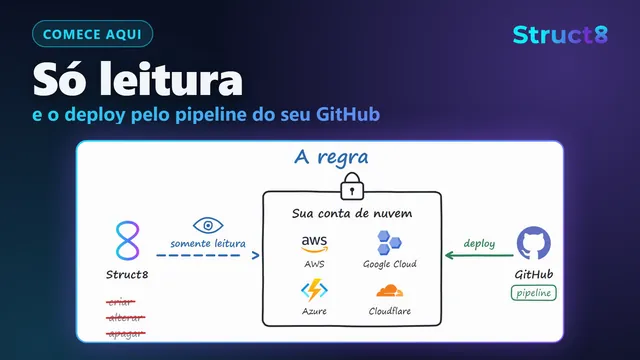
Struct8 reads your cloud to show what is running. Changes go through your GitHub repository, and you grant every access in your own account.
Read-only in your cloud accounts
The Struct8 connection to AWS, Google Cloud, Azure, and Cloudflare has read permissions only. Through it, no resource is created, changed, or deleted.
Short-lived credentials
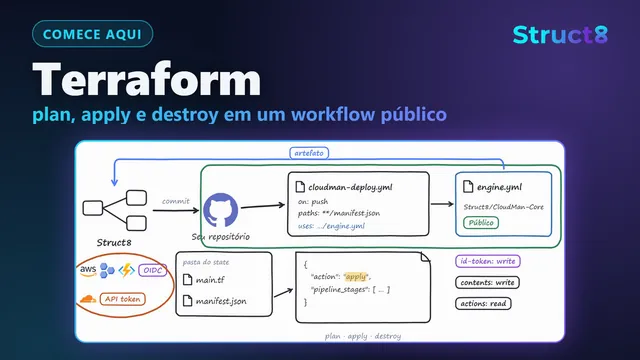
Deploys run in GitHub Actions, in your repository. On AWS, Google Cloud, and Azure, the pipeline exchanges an OIDC token for a temporary credential, and no permanent key is stored.
Public engine code
The pipeline that runs with your credentials is public on GitHub, in the CloudMan-Core repository. You can read it before you connect any cloud.
CloudMan-Core on GitHubNo lock-in
The code stays in your repository, and the Terraform state stays in a bucket in your account. If you stop using Struct8, your infrastructure keeps running.
Already have a cloud environment?
Struct8 imports your account and shows on the diagram what already exists. From then on, your environment follows the same cycle.
Your team on one diagram
Several people work on the same diagram at the same time, each with their own AI agent. Each person sees and changes what their permission allows: the whole diagram, one block, or read-only.
Videos
Learn on the YouTube channel
Tutorials and explanations of how Struct8 works. The videos are in Portuguese.